Made for daily document work
PDF Scanner brings together the jobs people usually split across several apps: scanning paperwork, turning images into PDFs, signing files, compressing exports, and keeping documents organized.
 PDF Scanner
Android app by EasyLearn
Google Play
PDF Scanner
Android app by EasyLearn
Google Play
PDF Scanner: Sign & Edit
Scan documents, sign contracts, merge files, protect sensitive PDFs, run OCR, and convert documents from one clean Android app built for everyday paperwork.
About App
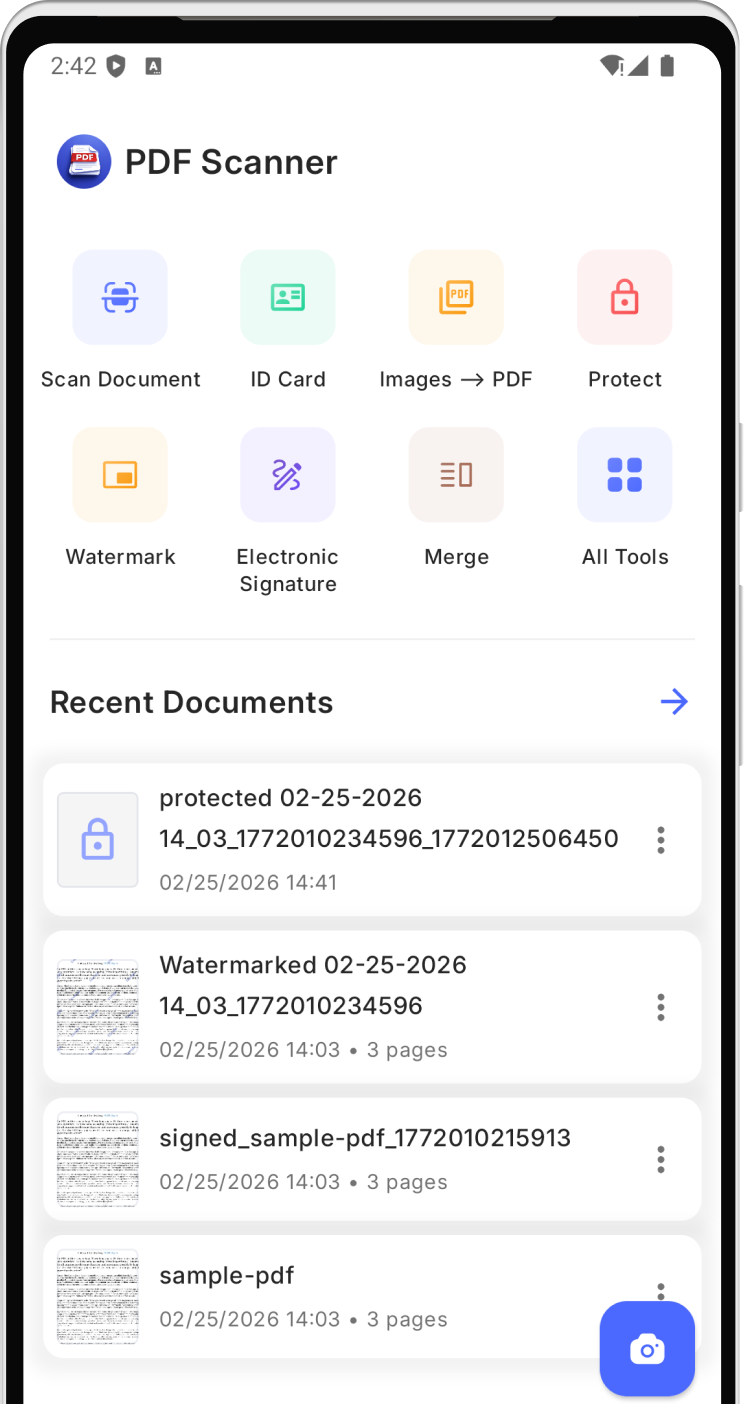
PDF Scanner brings together the jobs people usually split across several apps: scanning paperwork, turning images into PDFs, signing files, compressing exports, and keeping documents organized.
Core scan and PDF editing tools work directly on your device. Selected conversion flows use cloud processing when needed, so the app can cover both quick local edits and heavier file transforms.
The project focuses on a clean mobile experience, fast startup, and direct actions. Open, scan, sign, export, and move on without getting buried in menus.
Core Tools
Use the camera to capture pages, receipts, notes, and ID cards and save them as polished PDFs.
Add signatures, place watermarks, rename documents, move them into folders, and prepare files for sharing.
Secure important documents with passwords and reopen protected files when you have permission to access them.
Combine files, break large PDFs into parts, or reduce file size before sending or archiving.
Extract text from PDFs, scan QR or barcodes, and generate your own QR codes from links, contact data, text, email, or phone numbers.
Convert between PDF and supported Word, Excel, or PowerPoint files, plus create PDFs from image collections.
Workflow
Scan a new page with the camera or pick images and PDFs from your device.
Apply tools like signature, watermark, rename, move, split, merge, or compress.
Save locally, convert when needed, and send the finished document with less friction.
Android App
Open the store listing, install the app, and start scanning, signing, editing, and organizing PDFs from your phone.
 Available on
Google Play
Available on
Google Play